

Good web design in Pensacola has to work for customers of every age. More than one in five Pensacola residents is 65 or older, according to the Census Bureau, so a site with tiny gray text, hidden menus and fiddly forms turns away a large share of potential customers. The fix is mostly simple: larger readable text, strong contrast, clear navigation, big tap targets and forms that explain themselves. These same choices help everyone on a phone in bright sun at the beach. With Ortha, a five-page site starts at $1,250, and a speed and accessibility check on an existing site starts at $150. Ortha is a remote web studio registered in Albuquerque, New Mexico; we have no Pensacola office and don't claim Pensacola clients.
Why design for older visitors in Pensacola?
The Census Bureau's QuickFacts for Pensacola reports that 21.3% of residents are 65 or older, with a median household income of $74,212 and a broadband subscription rate of 92.4%. That's a large, online, relatively well-off group of customers.
Older visitors are online and they buy, book and research services there. They are also more likely to have changes in vision, hand steadiness or hearing. A site that's hard to read or tap loses them quickly, and they may never tell you why they called a competitor instead.
What makes a website easy for older visitors to use?
Most of it comes down to a handful of design choices:
- Body text large enough to read without zooming, typically 16 to 18 pixels or more on phones
- Strong contrast between text and background; avoid light gray on white
- Clear, plain headings and short paragraphs
- A visible menu with plain labels like "Services," "Prices" and "Contact"
- Buttons and links big enough to tap easily, with space around them
- A phone number that's visible and tappable on every page
- Forms with labels above each field and clear error messages
- No auto-playing video or sound, and no carousels that move on their own
None of this makes a site look dated. Many of the cleanest modern sites follow every item on that list.
What does the law say about website accessibility?
The Americans with Disabilities Act applies to many businesses open to the public, and the Department of Justice has said that includes their websites. Its guidance on web accessibility explains that businesses should make sure their online content is accessible to people with disabilities and points to existing technical standards as a helpful reference.
We're a web studio, so this isn't legal advice. Practically, following the Web Content Accessibility Guidelines is the accepted way to reduce risk and serve more customers. Our post on website accessibility requirements explains the basics in plain terms.
What accessibility basics should every Pensacola site have?
Beyond the design choices above, check for these technical basics:
- Alt text describing every meaningful image
- Pages that work with a keyboard alone, with a visible focus outline
- Headings in a logical order so screen reader users can move through the page
- Captions on videos and transcripts for audio
- Links that describe where they go, such as "See our prices," instead of "Click here"
- Color never used as the only way to show information
- Text that can be enlarged to 200% without breaking the layout
Ask any designer to confirm in writing which of these are included. Ortha offers a speed and accessibility check for existing sites from $150. Many fixes, like alt text and link wording, are content changes you can make yourself in an afternoon once you know where they are.
How do you test your own site?
You can do a quick check yourself in about fifteen minutes:
- Read your home page on a phone at arm's length. Can you read it without zooming?
- Turn your phone brightness down. Is the text still clear?
- Try to call you, find your hours and send the contact form using only your thumb
- Press Tab on a computer and see if you can reach every link and button
- Ask an older friend or relative to find one specific thing on your site and watch where they get stuck
That last test is the most useful. Watching one real person struggle tells you more than any tool.
Which Pensacola businesses benefit most?
Any business with older customers, which in Pensacola is many of them. It matters most for health care practices, home services, insurance and financial advisers, real estate, restaurants, churches and community groups, and tourism businesses whose visitors include retirees. If your phone calls skew older, your website visitors probably do too.
Does accessible design help with Google too?
Often, yes. Clear headings, descriptive link text, alt text on images and fast, readable pages are good for people and easy for search engines to understand. Google doesn't rank sites on an accessibility score, but many of the same habits that help a 75-year-old reader help Google figure out what each page is about.
How much does web design cost in Pensacola?
Pensacola designers set their own prices. Ortha publishes fixed starting prices on our pricing page:
Option | Starting price | Typical time |
|---|---|---|
Launch page, one page | $500 | 1 to 2 weeks |
Starter website, up to 5 pages | $1,250 | 2 to 4 weeks |
Business website, up to 8 pages plus a blog | $2,000 | 3 to 5 weeks |
Speed and accessibility check | $150 | add-on |
Build & Care Essential, up to 3 pages | $149 a month | 6-month minimum |
Every Ortha website also includes on-page SEO basics such as page titles, descriptions, fast loading and structured data. Monthly SEO starts at $300 a month for businesses that want to compete for searches like "SEO Pensacola." For more on pricing, see small business website cost.
What should you ask a Pensacola web designer?
- How do you make sites readable and usable for older visitors?
- Which accessibility standard do you follow, and how do you test?
- Can I edit text and photos myself without breaking the layout?
- Who owns the domain, code and content?
- What does hosting and upkeep cost after launch?
At Ortha, the domain stays in your name and you own the code, design files and content. More questions are in how to choose a web designer.
Local Pensacola designer or remote studio?
A local designer can meet you in person. A remote studio like Ortha works by video call and shared previews, with a fixed price in writing and direct contact with the people building your site. For free business advice, the Florida Small Business Development Center Network offers no-cost consulting across the state.
FAQ
What font size should a website use for older visitors?
Body text of at least 16 pixels is a common baseline, and 18 pixels or more is easier for many older readers, especially on phones. Strong contrast matters as much as size.
Does the ADA apply to my website?
The Department of Justice says the ADA's requirements apply to the websites of many businesses open to the public. Following the Web Content Accessibility Guidelines is the usual way to meet that expectation.
How much does web design cost in Pensacola?
With Ortha, a five-page starter site starts at $1,250. A speed and accessibility check on an existing site starts at $150.
Does Ortha have an office in Pensacola?
No. Ortha LLC is registered in Albuquerque, New Mexico, and works with clients remotely.
Check your site for every customer
If you'd like to know how your Pensacola site works for older visitors, send us the link and we'll tell you what we'd fix, with a fixed price.
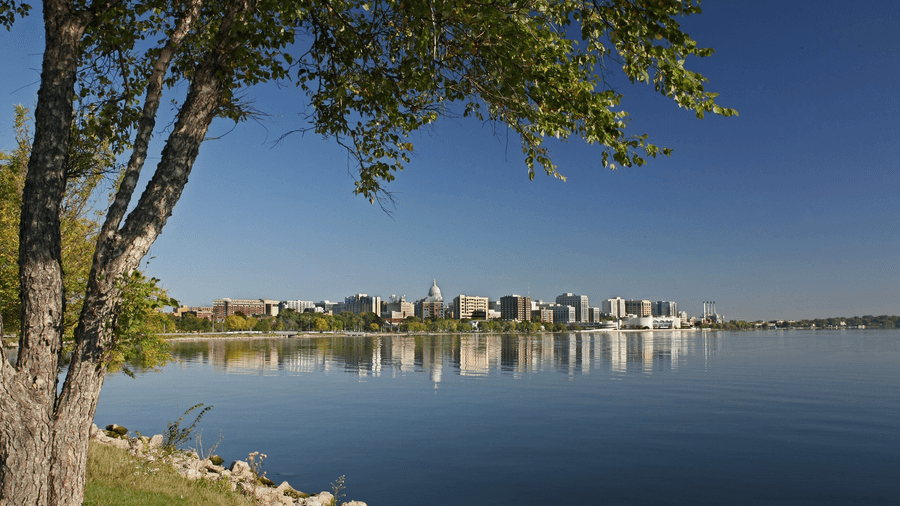
Cover photo: Pensacola Bay Bridge Looking North by Skarz, CC0.